Faq
Accepting a Team Invitation on Anytime Soccer Training
September 4, 2022
Accepting an Invite to Join a Team
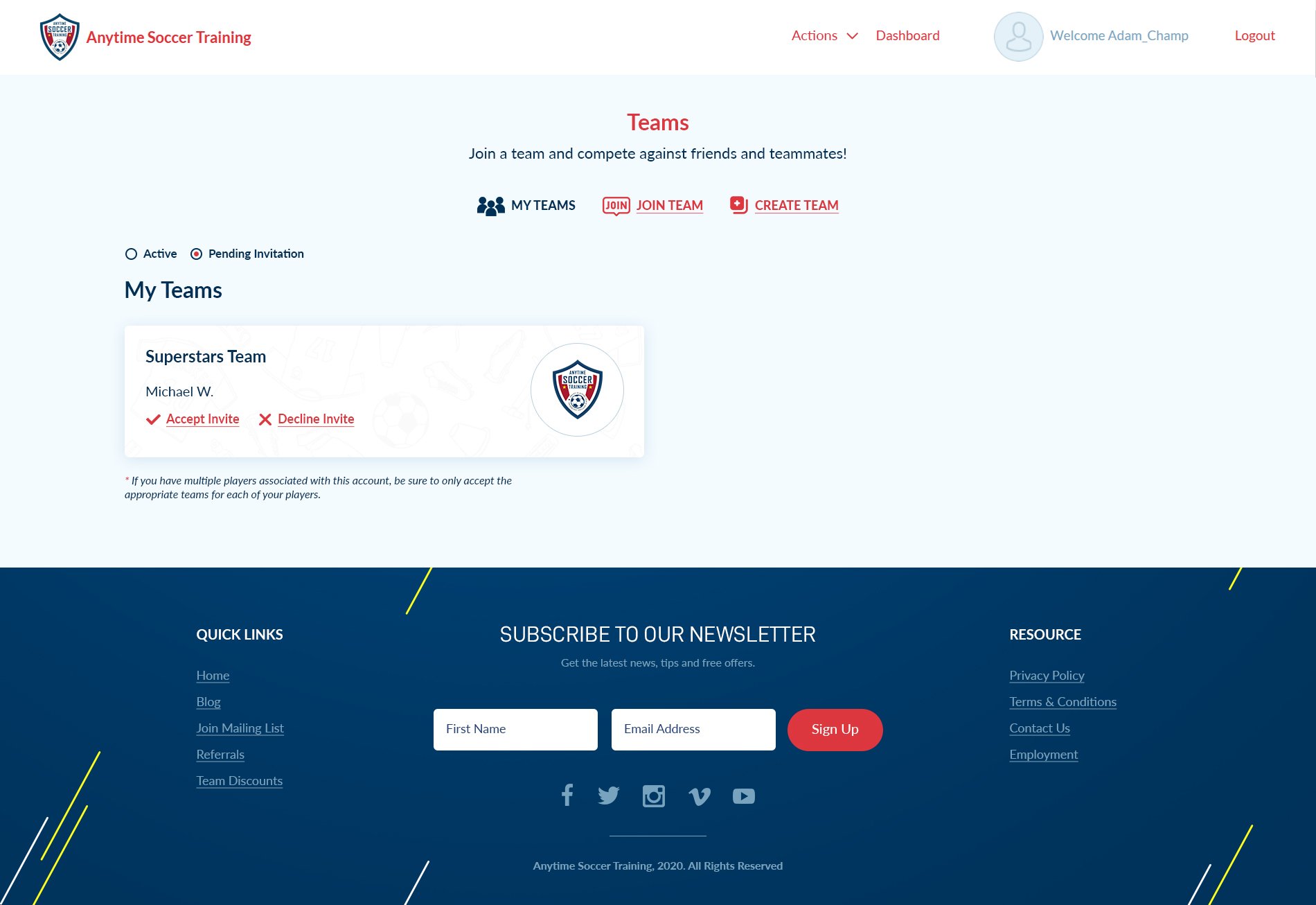
The team manager(s) or players can invite other users to their team. However, when the player sends an invite, acceptance to the team requires a team manager's approval. Members invite members to their team by clicking the Invite Members button and entering the email of the invitee. The invitee will receive an email invitation. Follow these steps to accept the invitation. Step 1: Log into Anytime Soccer Training via the Parent/Coach Sign In or Player Sign In. Click Here Step 2: Click login next to the respective player account. (Skip this step if you logged in via the Player Sign In). Step 3: Click My Teams from the player dashboard Step 4: Click Pending Teams
Step 5: Look in Pending Invitations
Step 6: Click Accept Invite
Step 4: Click Pending Teams
Step 5: Look in Pending Invitations
Step 6: Click Accept Invite
 After clicking Accept Invite, you will be added to the roster and leaderboard.
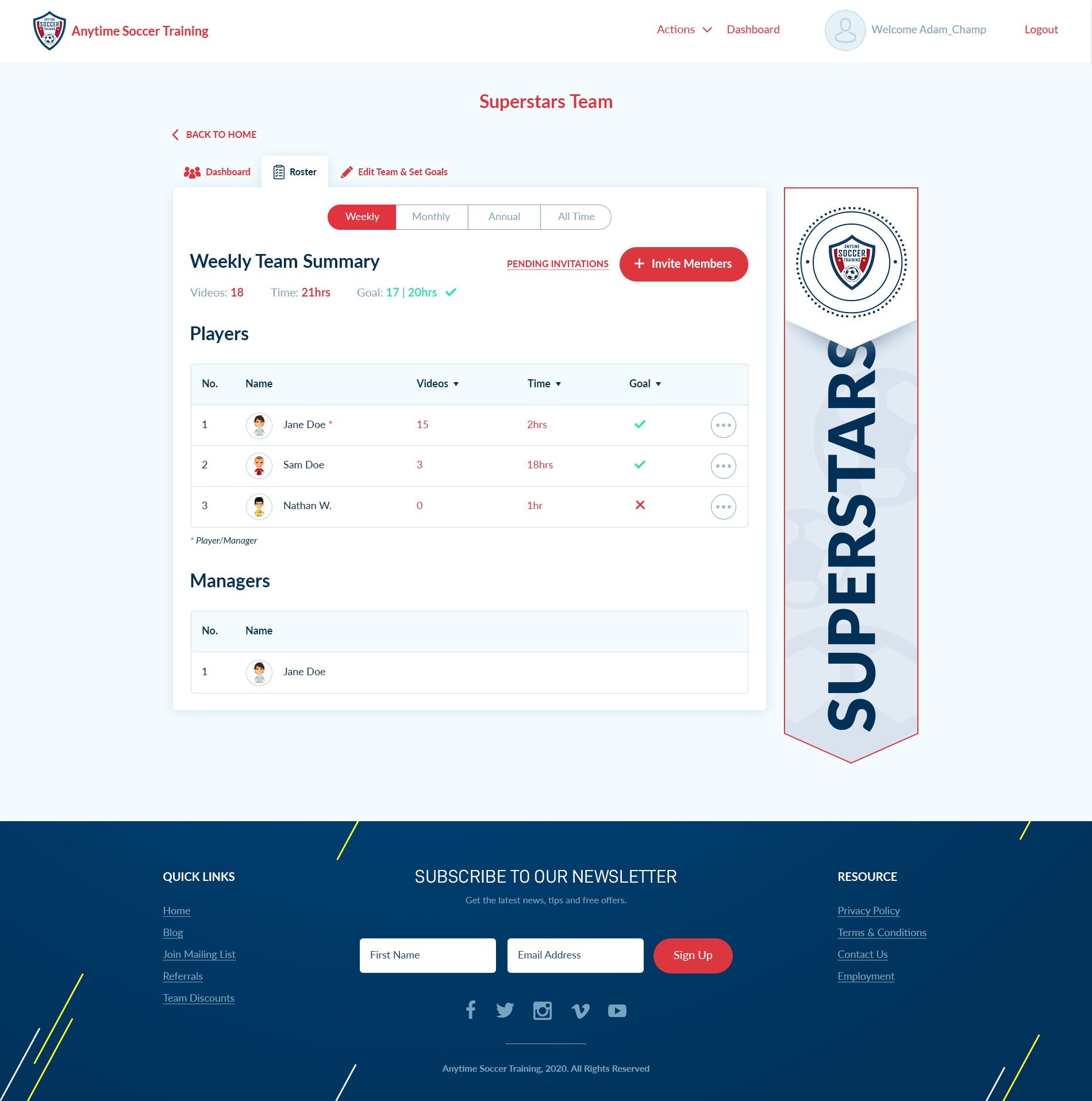
Below is an illustration of a sample roster that includes team and player stats as well as training goals.
After clicking Accept Invite, you will be added to the roster and leaderboard.
Below is an illustration of a sample roster that includes team and player stats as well as training goals.